
Log a set in seconds
Find any of 873 exercises by name, muscle or equipment, then add sets, reps and weight. Each one comes with pictures, target muscles and step-by-step instructions.
Now on iPhone and Android
SetRepGo is a simple workout log. Record exercises, sets, reps and weight by date, plan your trainings ahead, and watch your training add up on a clear dashboard.
Free to download on the App Store and Google Play
Individual $0.99/month · See plans and free trials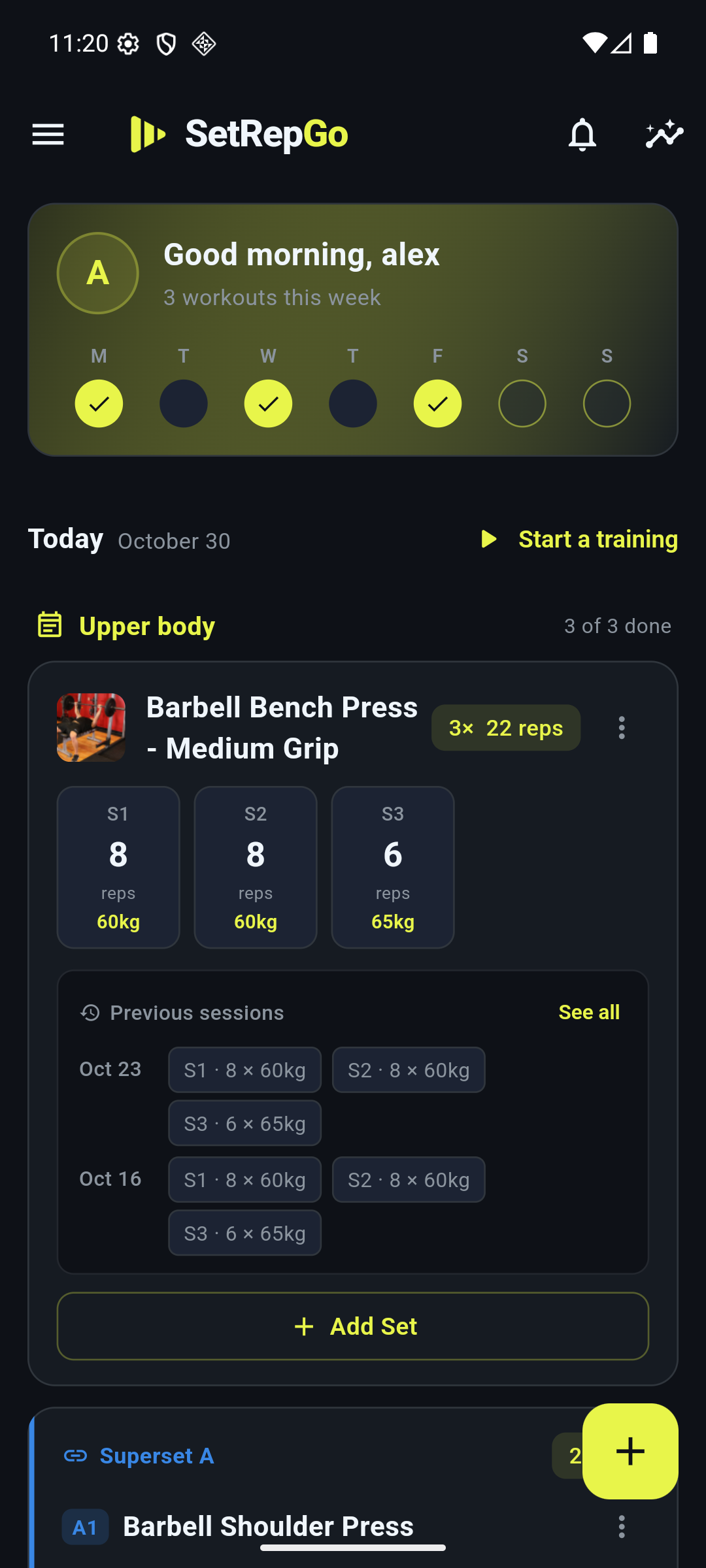
Inside the app
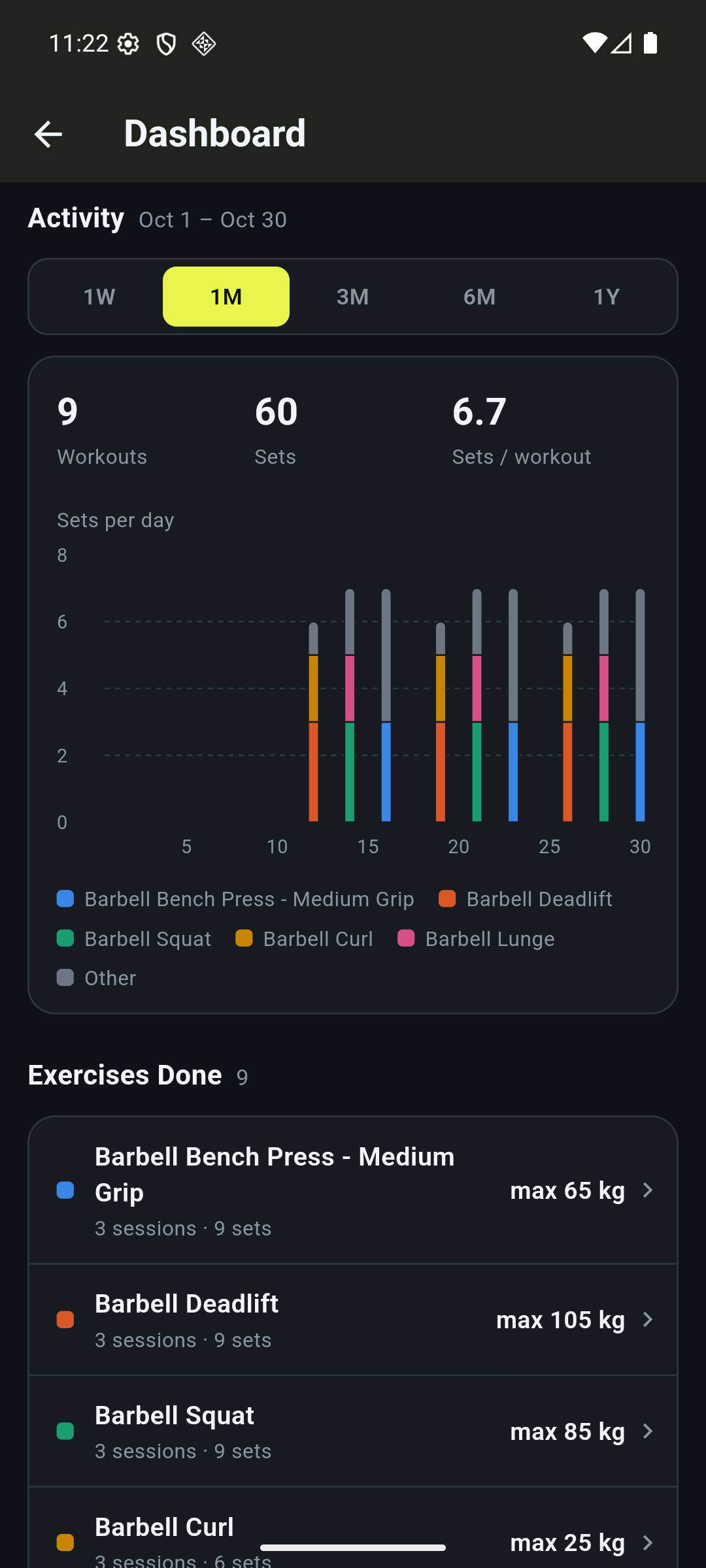
Your dashboard brings your recent training, activity and records together. Filter by exercise to follow your best sets, or by training to see how often you did it.
Real Android screenshots with sample data. Tap any screen to enlarge.
Find any of 873 exercises by name, muscle or equipment, then add sets, reps and weight. Each one comes with pictures, target muscles and step-by-step instructions.
See your last three sessions on each exercise card, or your last session in a superset. Open the full history to see what to beat next.
Pair exercises into supersets, tri-sets or giant sets. Log a round together in one dialog, even when you add an exercise partway through.
Save the exercises you do together, like Chest or Legs, supersets included. Start one on any day to add them all in order.
Plan a training once or every week, at a set time and place. The calendar marks your planned days up to a year ahead.
Get a reminder from 15 minutes to a day before each training, as you choose, in the app and as a notification on your phone.
Activity, averages and all-time records, over 1 week up to a full year. Pick an exercise to chart your best set each day, or a training to see how often you did it.
Check your BMI and see suggested exercises with starting weights based on your height and weight. Add each exercise to today with a tap. Sources from the WHO and CDC are linked in the app.
Train in kilograms or pounds, and switch any time. In English, German, French, Italian and Serbian.
Log reps and weight, reps alone, timed holds, or distance and duration. Add incline when you need it, with metric or imperial units.
Machine taken? Swap an exercise you haven't started for a similar one, in your day or in a training. Or create a custom exercise with its own name and tracking type, private to your account.
Workouts, trainings and schedules are saved to your account. Sign in on another device to pick up your log. An internet connection is required.
Turn on trainer mode and add clients, from 10 up to 20 depending on your plan. Switch to a client's log in one tap and plan or record their sessions.
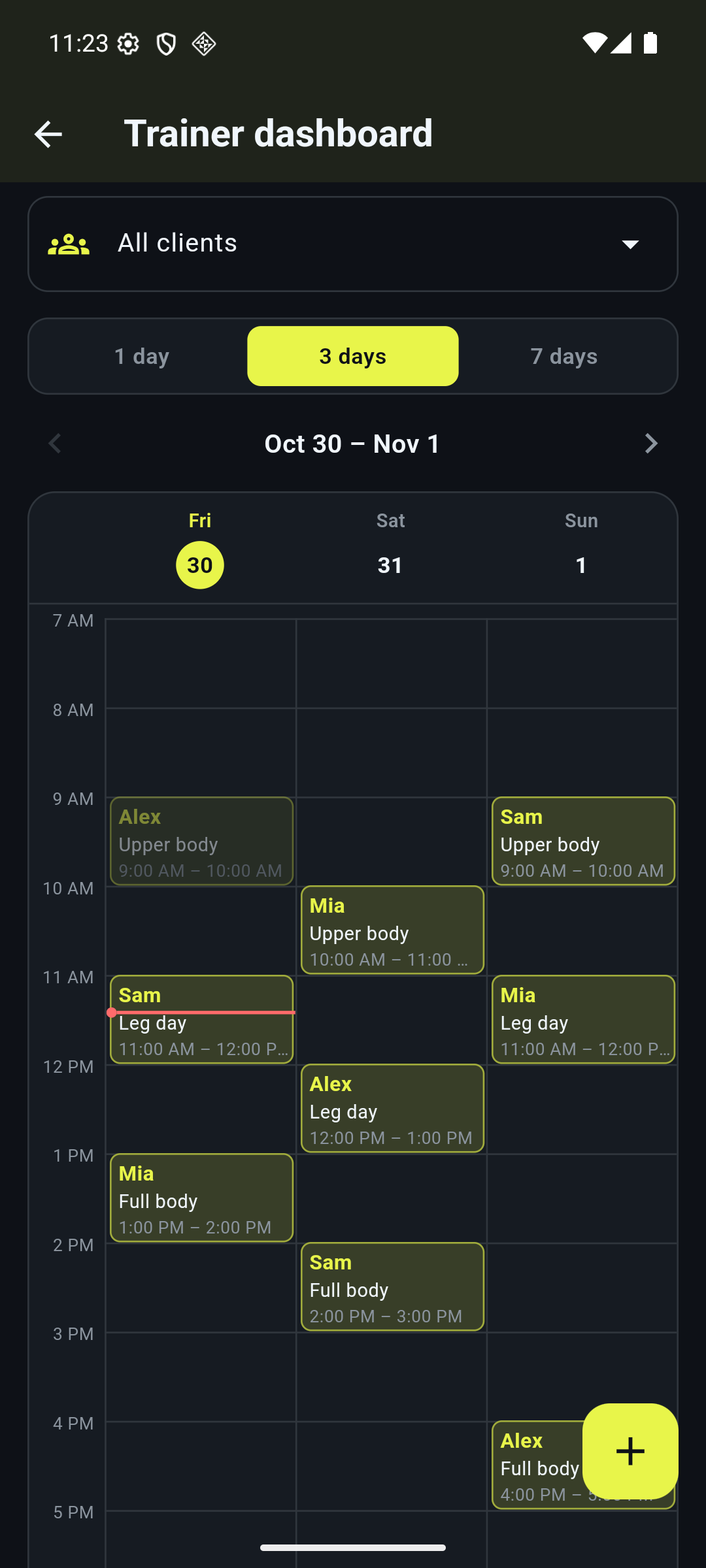
The trainer dashboard shows your next sessions with every client in a calendar. Pick a client, or tap a free half hour, to schedule a training there.
Build a training once and use it with all your clients, or make one just for a single client. Each client gets their own schedule.
Enter the code your trainer sends you. Today's plan opens first, followed by your past sessions together. You're reminded before each session and told when it changes.
Clients don't need a plan of their own. Your trainer's plan covers the whole app for you, your own log included.
Trainers see only the workouts they log for you, never your own training. Leave a trainer any time and keep the sessions you did together.
A trainer's day
Keep your clients and their next sessions together in one calendar.
Open the trainer dashboard to see upcoming sessions. Switch between one, three or seven days, or pick a client to focus on their schedule.
Tap a free half-hour slot, or the + button. Choose your client and training, then set the time, duration and location.
Tap a session to view it, open its workout day, or change its details. Linked clients can see their plans and receive reminders when notifications are enabled.
Install from the App Store or Google Play, then continue with Google (or Apple, on iPhone) or sign up with your email. Choose a plan and an available free trial, or enter your trainer's code.
Add exercises or start a training, and log each set as you go. Missed a day? Log it from the calendar.
Your history and dashboard update on their own, on every device you sign in to.
Try it free for 1 month, then $0.99 a month. Trainer plans start at $9.99 a month, and cover your clients. See pricing